1Password recognized in the 2026 Gartner® Magic Quadrant™ for Privileged Access Management

by 1Password
October 23, 2026 - 6 min
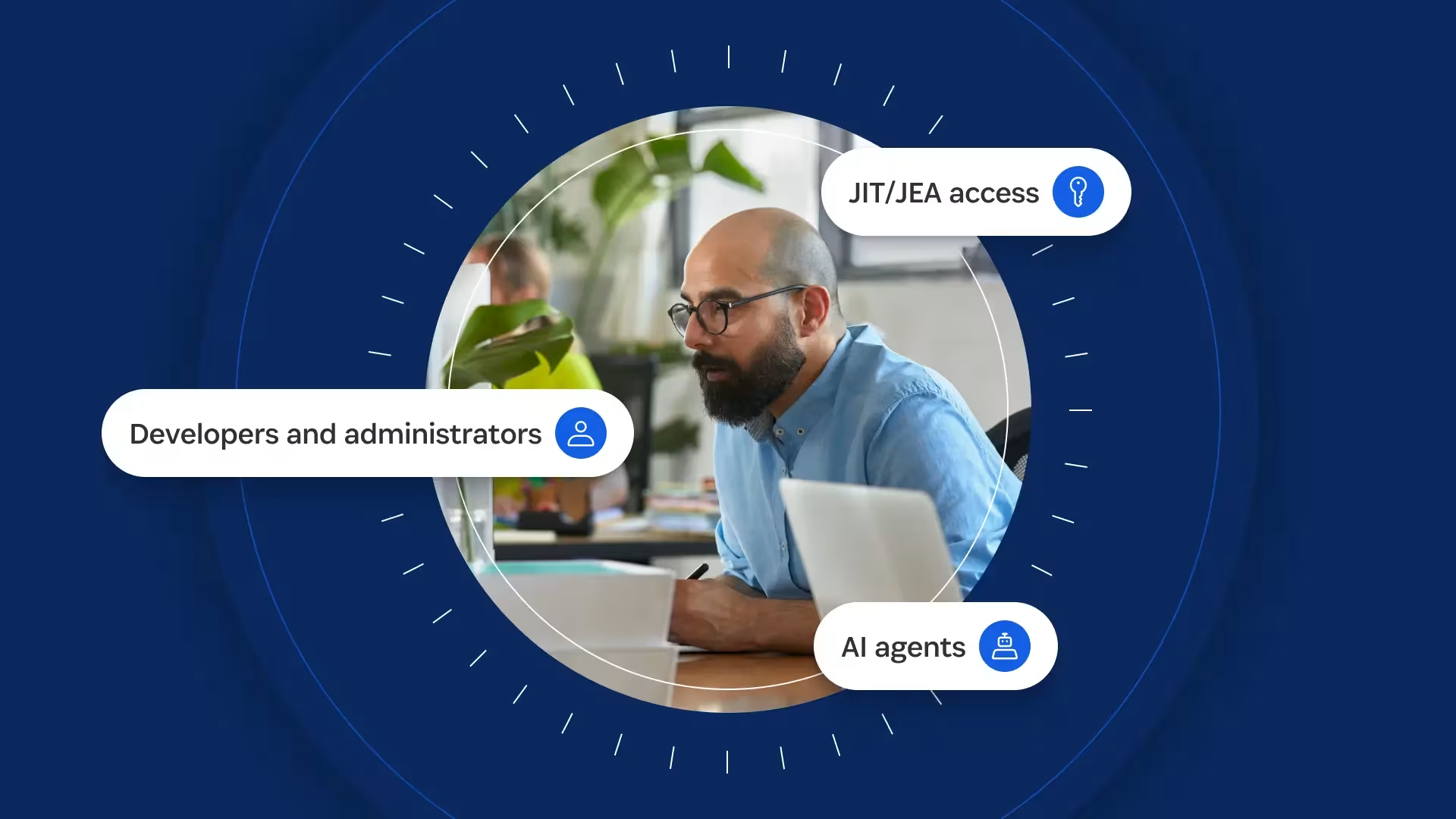
1Password Privileged Access eliminates standing access for human and non-human identities across cloud and hybrid environments, databases, and Kubernetes. It provides just-in-time, just-enough privileges created at request time, scoped to the task, and automatically deprovisioned when the work is done. This secures production infrastructure and sensitive data for every identity and resource. We feel this honorable mention in the 2026 Gartner® Magic Quadrant™ for Privileged Access Management reflects the recognition that privilege should be created for the task at hand and removed when the work is done.
Why standing access persists
Standing access emerges as a byproduct of daily operations. What begins as a quick fix to remediate a bug or launch an AI agent often leaves a long tail of access risk and manual cleanup. Today, every engineer, service account, and AI agent in your environment carries more access than needed, and each permission is an opportunity attackers can exploit.
Consider a team that brings on a contractor for a three-month project and grants access across its cloud environment, K8s cluster, and database. When the engagement ends, the access remains because removing it requires checking several systems and confirming nothing else depends on the account. Permissions granted for legitimate work outlive the work that justified them.
Across the infrastructure, an organization may manage an AWS role, a K8s RBAC binding, and a database account through separate tools with no shared policy layer. Each new system adds another inventory to maintain. When the project ends, the contractor leaves, or a workload changes, teams must manually track and trigger cleanup, which quickly outpaces what they can secure or manage.
In AI-agent workflows, standing access is harder to identify and contain. Many organizations still manage agent access through IAM solutions designed for human employees and static identities. But agents can use API keys, service accounts, and backend integrations and may move between different access paths within the same workflow. When an agent inherits a person’s or workload’s permissions, it becomes harder to see what is acting, what authority it has, and when that authority should end.
In a June 2026 1Password survey of IT and security professionals on how organizations adopt and govern AI for their most technical workers, 40% of developers reported granting AI agents persistent access to systems or credentials that were not revoked when a task was completed. Among developers who use AI agents, 33% reported their organization had experienced a security incident or breach from overprivileged non-human identities.
Security teams need to answer four questions for every human, workload, service account, or AI agent:
Which identity, agent, or workload requested access?
Which production resource, system, or customer data could it reach?
Which role, policy, approval, or business justification granted that access?
What happened during the access window, when did it expire, and can the team prove that it was revoked?
Until access is governed with a clear attribution chain showing which identity received access, why it was granted, and when it was revoked, standing permissions leave a larger attack surface and exposure risk when an identity or workload is compromised.
From standing access to runtime privilege
The four questions above help teams transition from granting access to governing it. Privileged Access addresses them by mapping existing permissions, evaluating each request in context, creating only the access required for the task, and recording what happened afterward.
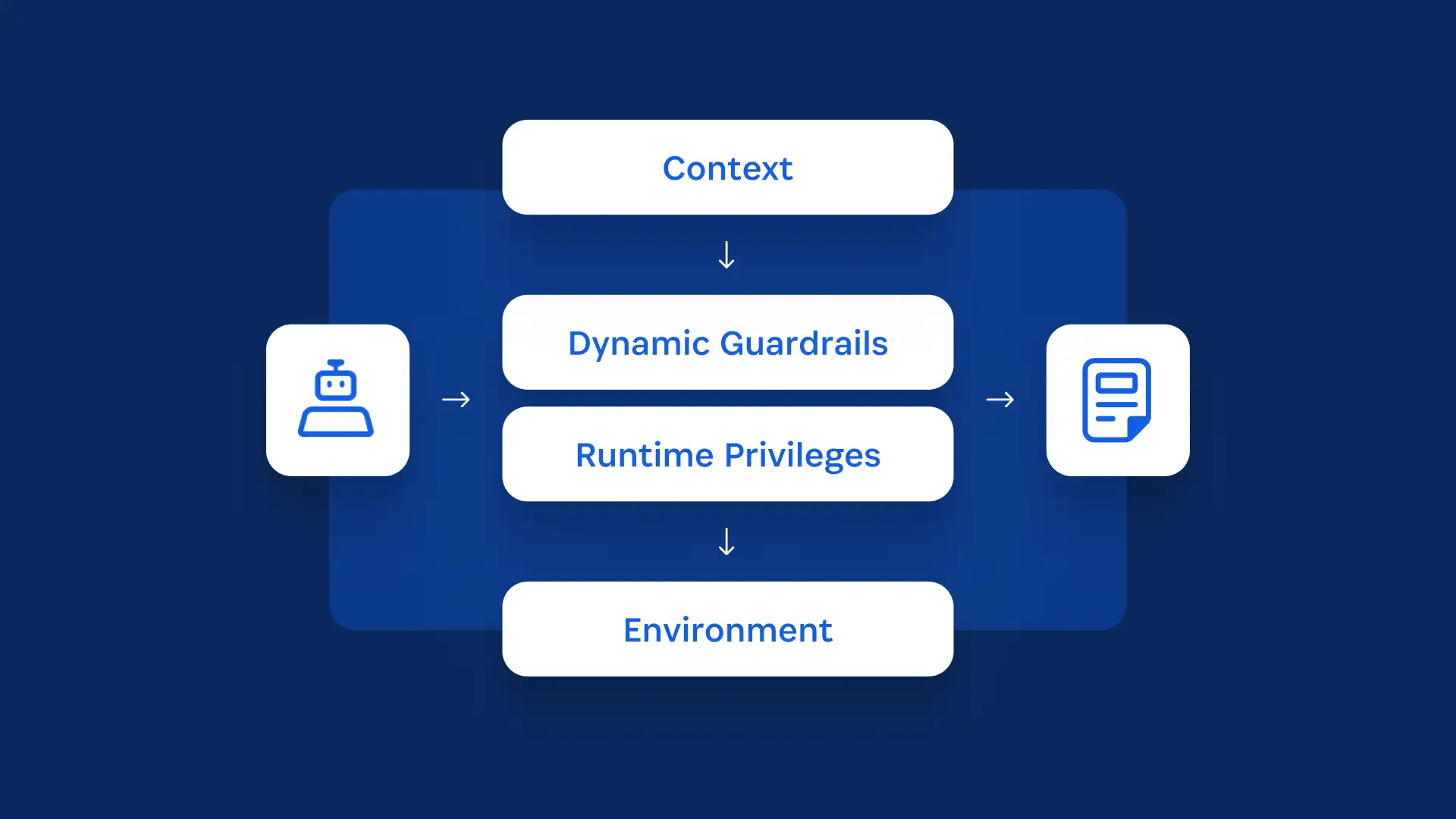
It begins by mapping identities and permissions across cloud and hybrid environments, Kubernetes, and databases. This helps security teams identify dormant accounts and permissions that are broader than required.
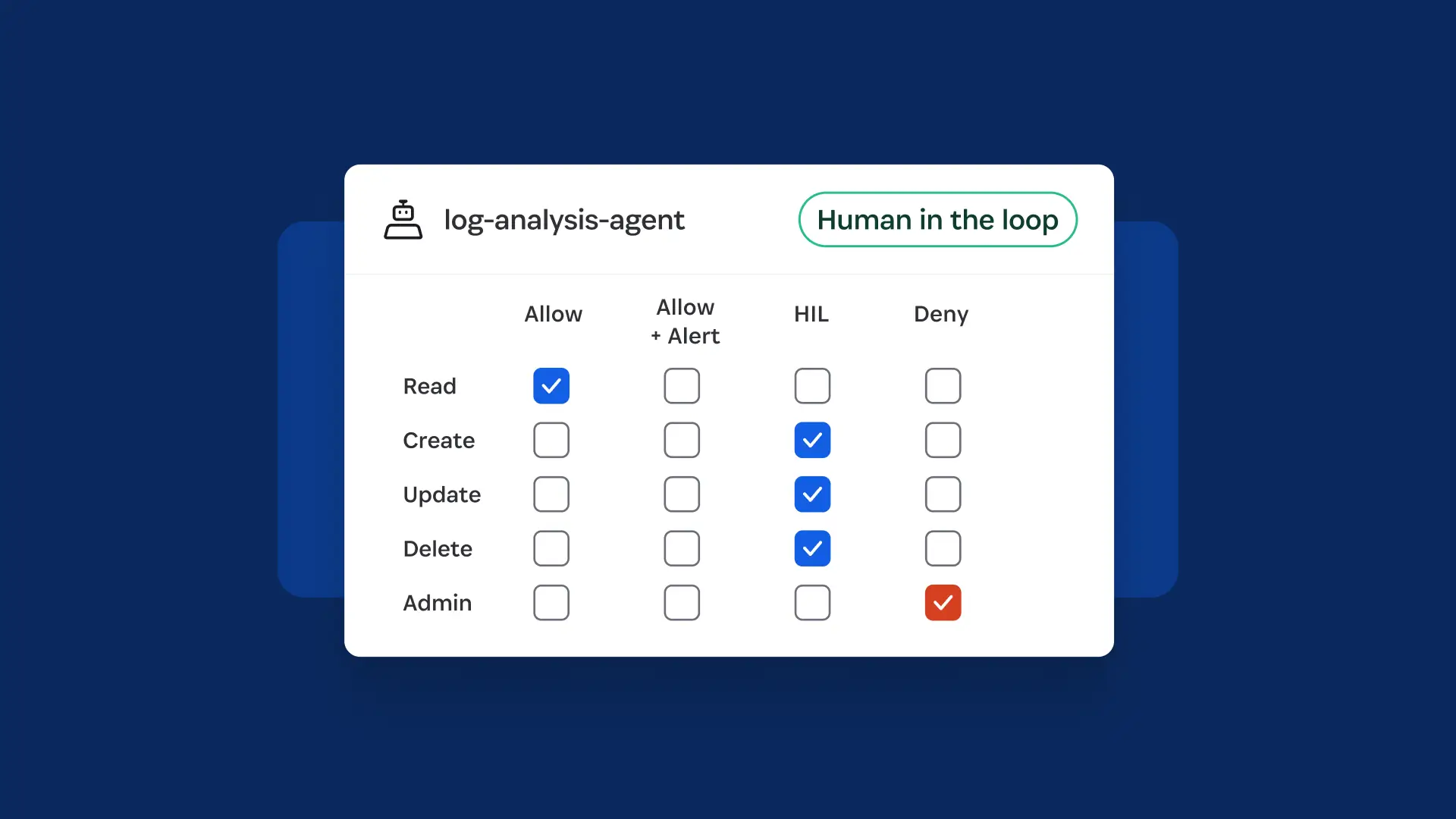
When access is requested, Dynamic Guardrails run contextual approval workflows to evaluate the request and determine whether and under what conditions to grant access. The policy considers who or what is requesting access, what it needs, the environment and resource involved, and the risk of the requested action.
Lower-risk requests can be approved automatically. Higher-risk requests can be routed to a human reviewer.
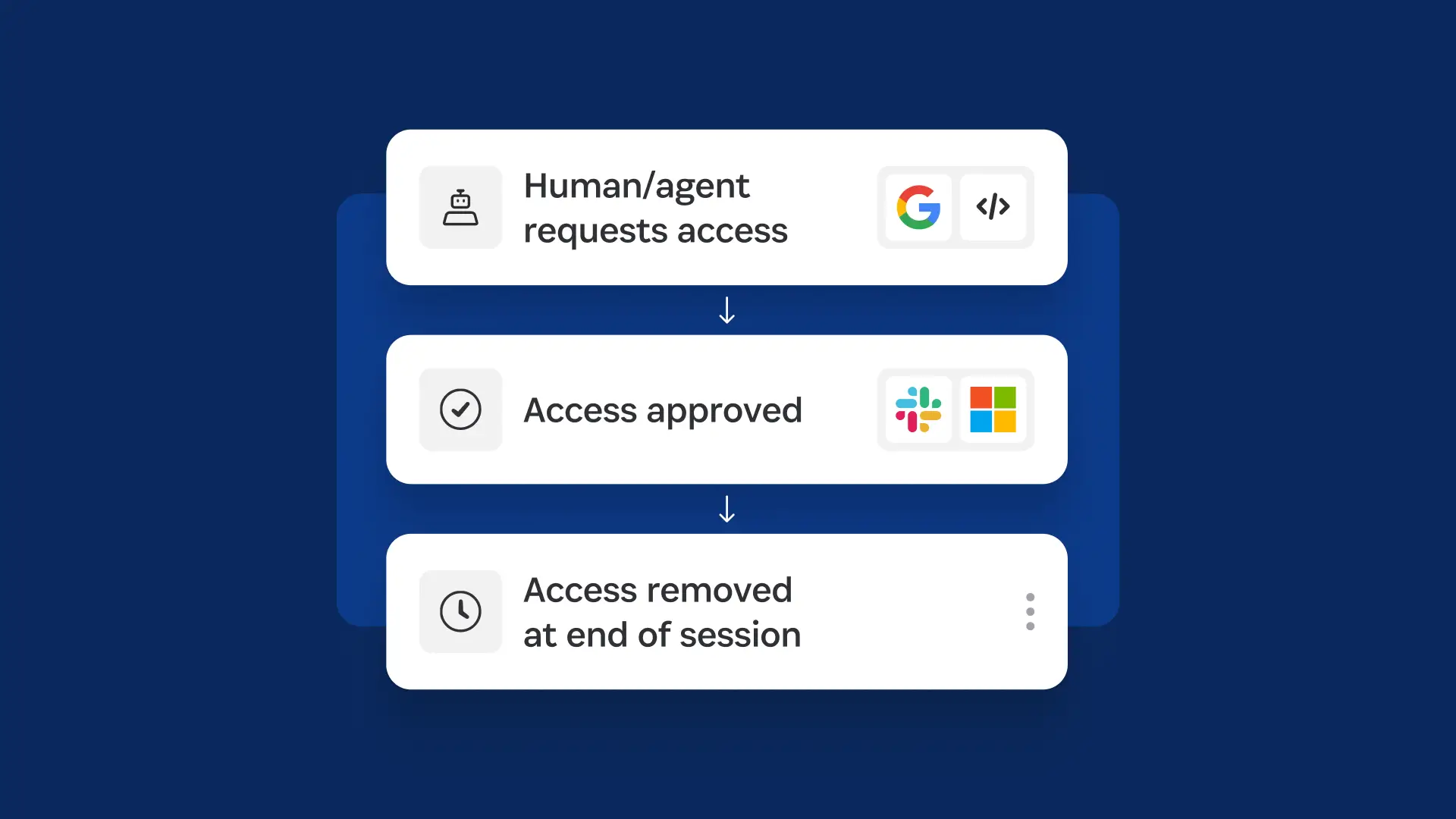
When access is approved, Just-in-Time Access creates the required permission in the target system’s existing policy layer. That might be an AWS IAM role, a Kubernetes permission, or a scoped database account.
Privileged Access automatically deprovisions those permissions at the end of the approved access window. Developers can request access from Slack, Teams, the CLI, Backstage, and supported MCP workflows.
The system automatically logs requests, approvals, granted resources, access events, and revocations. Where session activity is supported, security teams can also review what happened, when it happened, who approved the access, and which policy authorized it.
Why AI agents need behavioral control
Just-In-Time Access addresses excessive or persistent authority and limits what an agent can access and how long that access remains available. Nondeterministic agents also need contextual controls to ensure they act within the scope of the task that created the access.
Without time-bound, scoped permissions, an agent asked to investigate a production error may start by reading logs or inspecting a service configuration outside the original request. If that action falls within the permissions attached to its role, a conventional permission check treats it as authorized.
AI Agent Control in Privileged Access gives each agent a distinct identity and a role scoped to its task. The system provisions permissions when the task begins and removes them when the task is complete. With Intent-Based Access Control, currently in beta, Privileged Access compares an agent’s declared intent with the actions it takes in real time. If the agent deviates from that intent, access can be restricted or revoked before the action executes, subject to the capabilities of the supported integration.
An adaptive model for privileged access
In our view, the recognition in the 2026 Gartner® Magic Quadrant™ for Privileged Access Management comes as security and infrastructure teams are asked to adapt least-privilege controls to cloud infrastructure, machine workloads, and AI agents.
As the parameters defining identity shift, privileged access can no longer depend on permanent roles and manual access reviews. To keep human and non-human identities working efficiently without expanding risk, organizations need task-specific, time-bound access and controls that consider their behavior.
1Password Privileged Access helps organizations move toward that model and gives teams a way to secure cloud environments by keeping access scoped to the task at hand and removing it when the work is done.
See just-in-time access in action
Discover how 1Password Privileged Access scopes permissions to the task, enforces them in native systems, and removes them when the work is complete.
Ready to eliminate standing access?
Secure production access with just-in-time privilege.
Gartner Report, Magic Quadrant for Privileged Access Management, By Paul Mezzera, Shubham Gera, etc., October 2026.
Gartner and Magic Quadrant are the trademark of Gartner, Inc. and/or its affiliates
Gartner does not endorse any vendor, product or service depicted in its research publications, and does not advise technology users to select only those vendors with the highest ratings or other designation. Gartner research publications consist of the opinions of Gartner's research organization and should not be construed as statements of fact. Gartner disclaims all warranties, expressed or implied, with respect to this research, including any warranties of merchantability or fitness for a particular purpose.