Fewer lockouts, less manual work: What's new for 1Password EPM admins

by Jairo Camacho
August 26, 2026 - 4 min
As a company grows, more employees join, but the size of the IT team overseeing critical systems often doesn’t grow at the same pace. Admins have to be intentional about prioritizing their efforts to meet the needs of a growing organization. That’s why we’re excited to announce several releases aimed at helping admins optimize their organization’s use of 1Password in two important areas: reducing lockouts and automating provisioning at scale.
Preventing avoidable lockouts
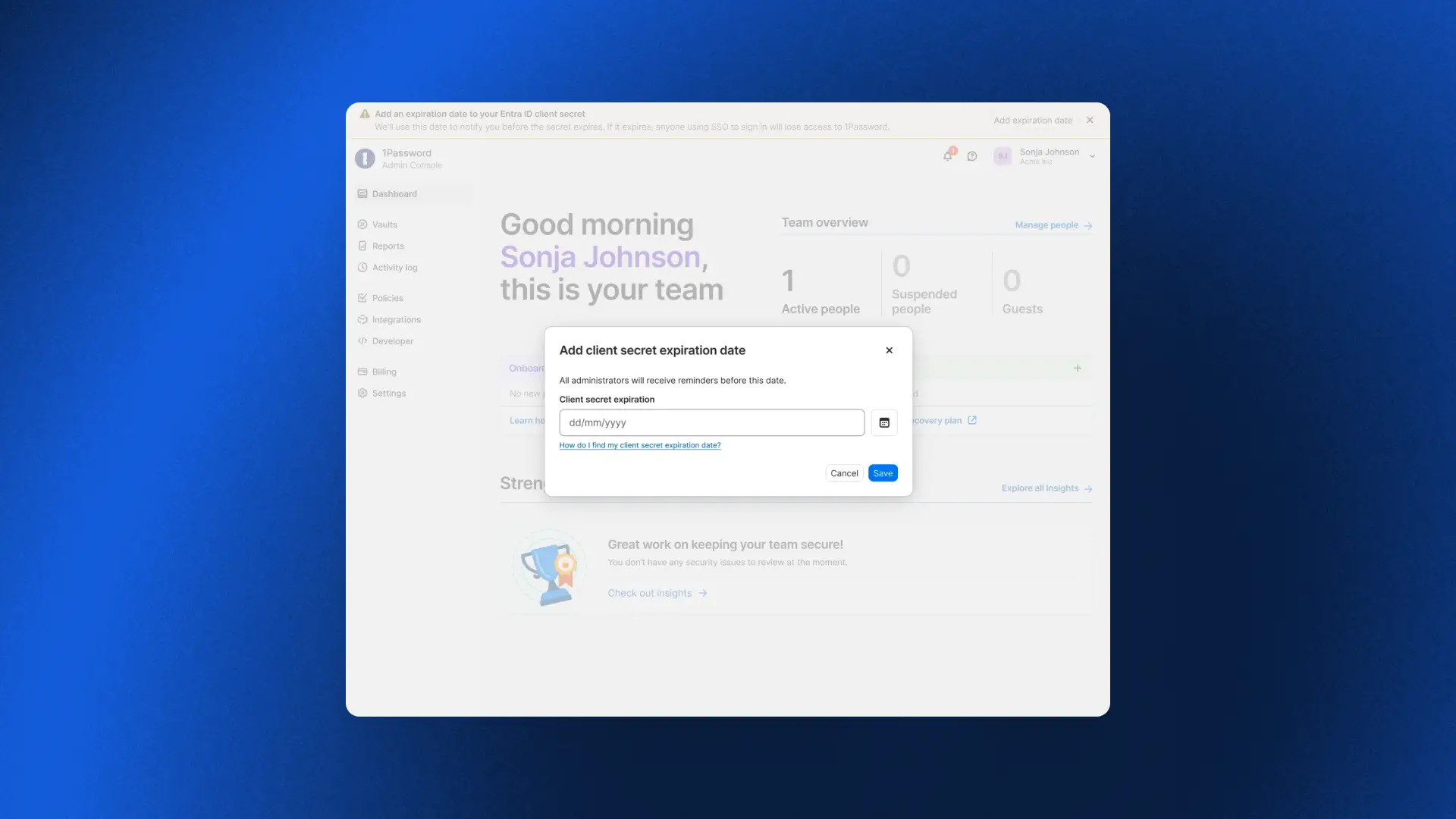
Entra ID Secret Expiration
Most 1Password Business accounts sign in via SSO through an identity provider like Microsoft Entra ID. Admins rely on a secret provisioned by Entra to establish connectivity with 1Password. However, it comes with an expiration date. Once it expires, the connection breaks, preventing anyone from signing in. This was one of the most common and disruptive patterns we’d observe with customers.
Entra ID Secret Expiration now tracks it for you. Simply record the expiration date, and 1Password will send escalating reminders across in-app banners, emails, and login prompts at a fixed cadence (e.g., 90/60/30 days). Once it’s time to rotate the secret, follow the guided flow in the Admin Console, confirm it’s working as intended, and the countdown resets automatically. A predictable secret expiration date should never become an outage, and now it doesn't have to.
Standing up new parts of the business quickly
Multi-Tenancy and Automated Provisioning integration
Earlier this year we released Multi-Tenancy and Automated Provisioning, hosted by 1Password, two critical features for admins to manage provisioning, deprovisioning, and parent/child accounts at scale. Now admins can use these features in tandem, so enterprises with multi-tenant setups can take advantage of Automated Provisioning.
To get started, check out our detailed documentation for setting up the Multi-Tenancy and Automated Provisioning integration
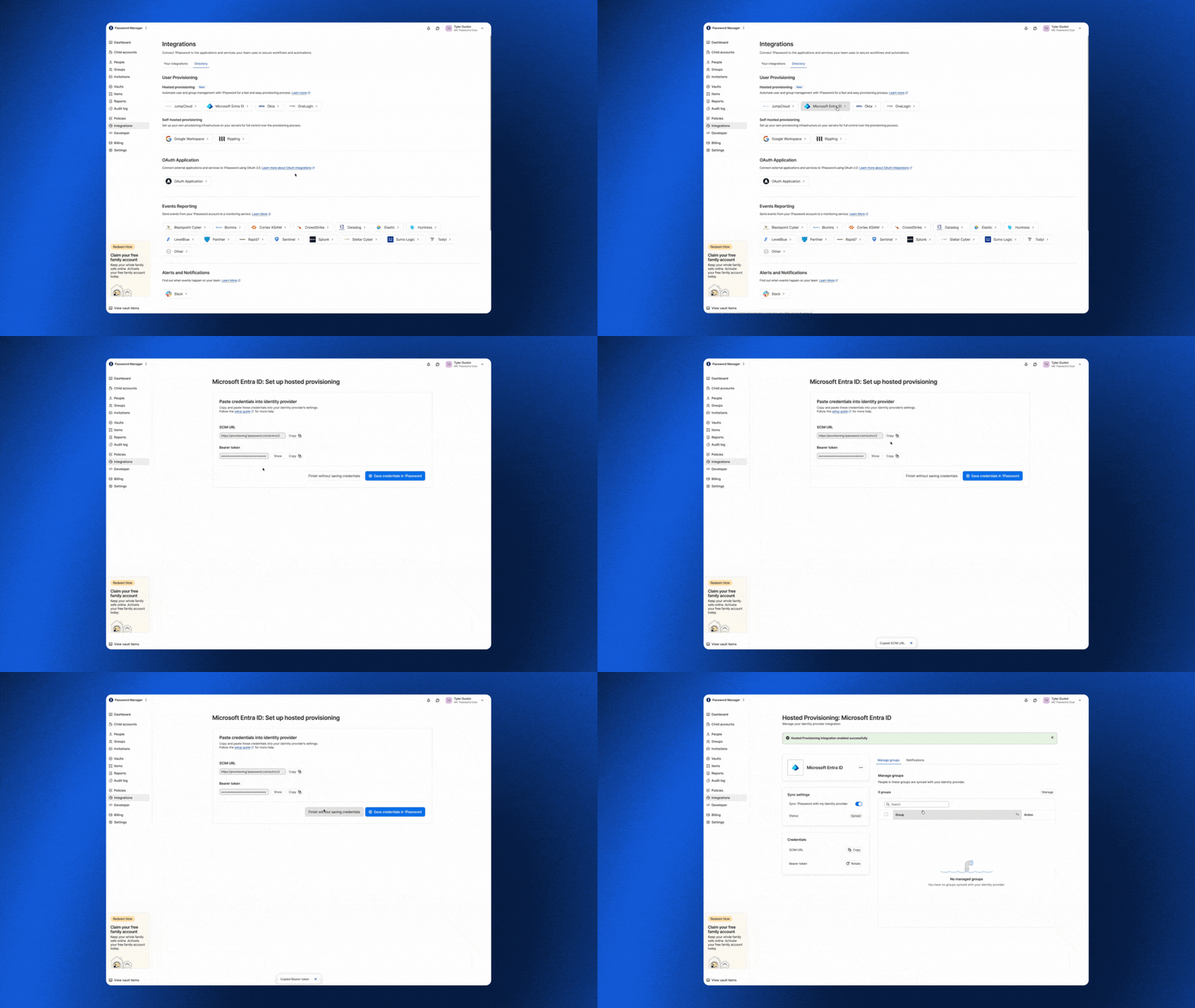
To get started, check out our detailed documentation for setting up the Multi-Tenancy and Automated Provisioning integration.
Vault migrations
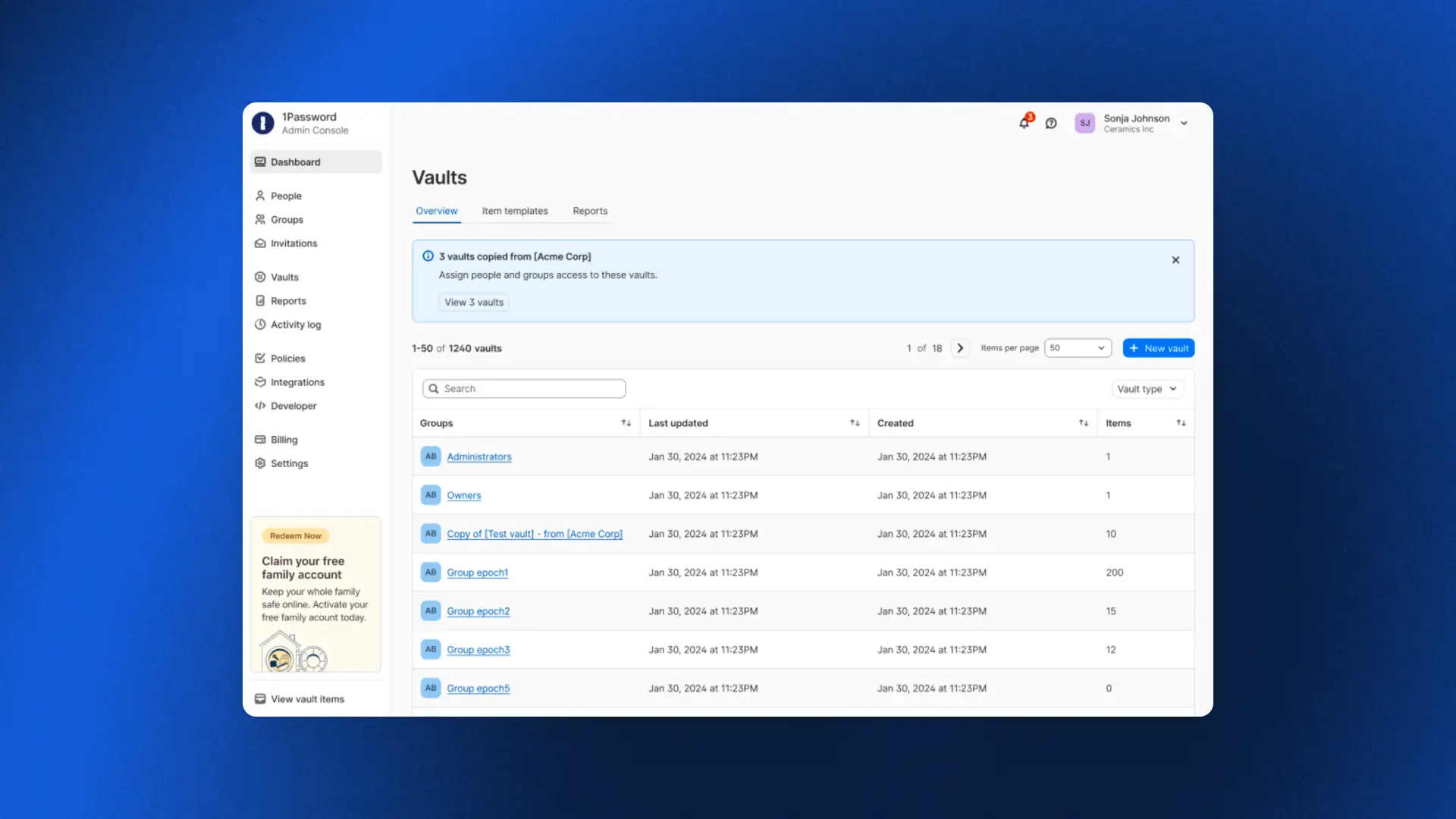
With multi-tenancy, enterprises link multiple 1Password accounts under a parent account to mirror how the business is actually organized, whether by subsidiary, region, or acquisition. But linking a child account is only the first step. It still needs the right shared vaults, and until now the only way to populate them was to recreate each vault by hand. Vault Migrations removes that work. An admin can copy a vault from the parent account to one or more child accounts in a single workflow, so newly linked accounts are ready to use from day one.
Because 1Password is end-to-end encrypted, each vault is re-encrypted in your browser with the destination child account’s key before it is uploaded. Our servers never see your data in plaintext, and the vault key is never exposed unencrypted. Each migration creates a copy rather than a synchronized vault, preserving the security boundary between linked accounts. Access is reset to a secure default so admins can deliberately assign permissions in the child account, and every migration is recorded in the parent account’s audit log.
Automated Provisioning for MSPs
For MSPs, standing up provisioning for every new client has traditionally meant painstaking manual work. As one MSP shared: "If we can connect to their identity provider so that we don't have to provision accounts manually, that changes everything."
Automated Provisioning, hosted by 1Password, does exactly that. MSPs can connect an identity provider to any client in minutes, with users created, updated, and deprovisioned automatically across every managed tenant as clients grow and change. No infrastructure to deploy, no bridge to maintain, and no manual work in between.
One admin who tried it put it simply: "We were done in about five minutes. We set everything up from scratch, added the integration in Okta, and it worked immediately."
To get started, check out our detailed documentation for setting up automated provisioning for your managed company instances.
Final thoughts
What these releases add up to is peace of mind.
For an enterprise, it means fewer lockouts and improved efficiency. For an MSP, it means onboarding a new client in minutes. And whether you run one organization or a hundred, the team overseeing it doesn’t have to scramble to keep up with growth, because the platform now carries more of the operational burden without compromising the security model.