Secure MCP credentials with 1Password and Runlayer

by Jeff Malnick
March 20, 2026 - 6 min
We built 1Password® Unified Access to extend identity security beyond humans to the agents and machine workloads operating across your business. In practice, that means securing not just who gets access, but how agentic systems connect to tools, services, and data.
That makes the MCP gateway a critical control point. It sits between AI agents and the systems they need to reach, making it the natural place to enforce policy, visibility, and governance. But in many deployments, it also becomes the place where credentials accumulate, moving secrets out of the vault and into the platform.
That is the problem 1Password and Runlayer are solving together. With this integration, enterprises can keep their machine credentials in 1Password, resolve them only at runtime, and audit every fetch and rotation without exposing the secret itself.
If your team has adopted an MCP platform to centralize how AI agents access tools, you've probably solved one problem and created another.
Before the MCP platform, credentials were scattered across developer machines in plaintext config files:
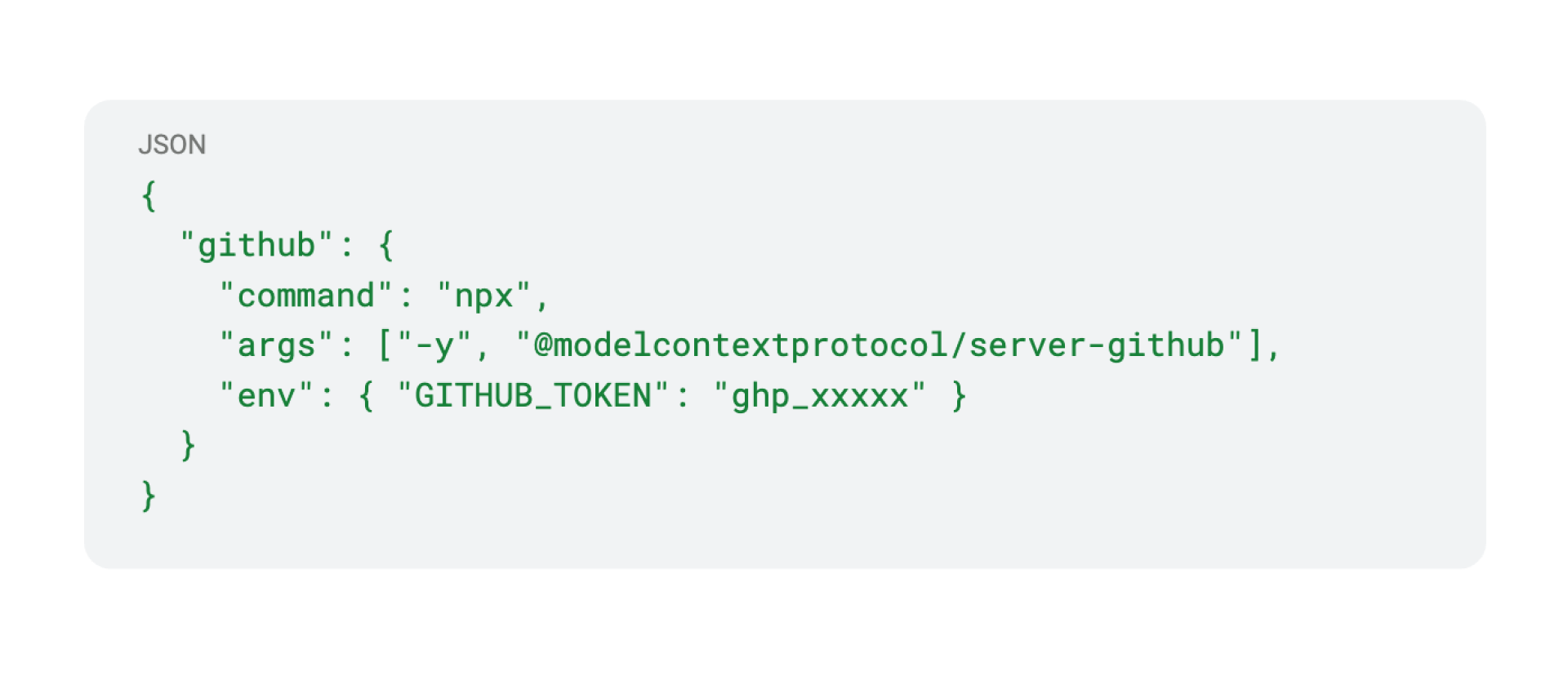
After the MCP platform, those credentials shifted from the developer’s laptop into the platform’s database. This centralizes them, but still keeps them outside your vault. Exposure on the local machine decreases, while secrets sprawl and operational complexity increase. A better model is to keep these credentials alongside the rest of your secrets, in a system that is consistent, easy to use, and supports self-service for the AI builder.
MCP platforms shouldn’t become another place for secrets sprawl
Enterprises are using hundreds to thousands of upstream server connections like GitHub, Slack, Notion, Linear, and internal APIs. Each server needs at least one credential. When those credentials live outside the vault:
A platform compromise exposes every MCP server token at once.
There's no single source of truth for who changed what credential and when.
Enforcement of credential access policies lives outside a targeted, centralized solution.
As enterprises move from experimenting with AI tools to deploying them in production, this gap grows from a hygiene issue to a governance problem.
1Password keeps credentials in the vault, not the platform
As we worked with Runlayer on this integration, we held to the same security principles that guide all of our AI work:
Secrets stay secret. Credentials live exclusively in the customer's 1Password vault. Runlayer stores a reference, never the raw value.
Least privilege and minimum exposure. The secret exists in memory only for the duration of the request. Nothing persists on disk or in the gateway's database.
Full Auditability. Every secret fetch and every rotation is logged in 1Password and in Runlayer with hash-based traceability that never exposes the credential itself.
About the Runlayer AI control plane
Runlayer is the Enterprise Control Plane for MCP, Skills, and Agents. It sits between AI agents, IDEs, and MCP servers, proxying every tool call through a control plane that applies real-time security models and policies, logs complete audit trails, and centrally manages credentials. Think of it as the one layer for AI tool access, every MCP request flows through it, which makes it the natural place to securely inject credentials at runtime for agent workloads.
Secure the control point without creating a new secrets store
The integration uses a simple pattern: instead of pasting a raw API key into Runlayer's server configuration, you enter a 1Password secret reference. Runlayer resolves it at connection time.
Enter a 1Password reference instead of a raw key
In Runlayer's Server Inputs UI, enter an op:// reference for any credential field:
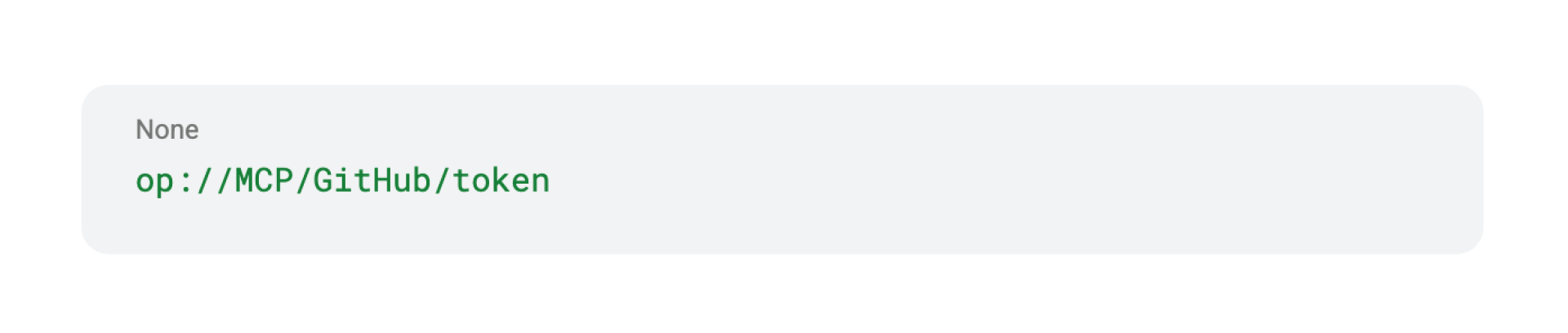
The UI shows a blue 1Password badge next to the field and displays "Managed by 1Password" as the status. The reference format follows the standard 1Password convention: op://vault/item/field.
This reference is all Runlayer stores. No raw credentials touch Runlayer's database.
At connection time, Runlayer resolves the secret
When the MCP proxy handles a tool call, it scans transport headers for op:// references. For each match, it calls the 1Password SDK to resolve the live value and injects it into the upstream connection:
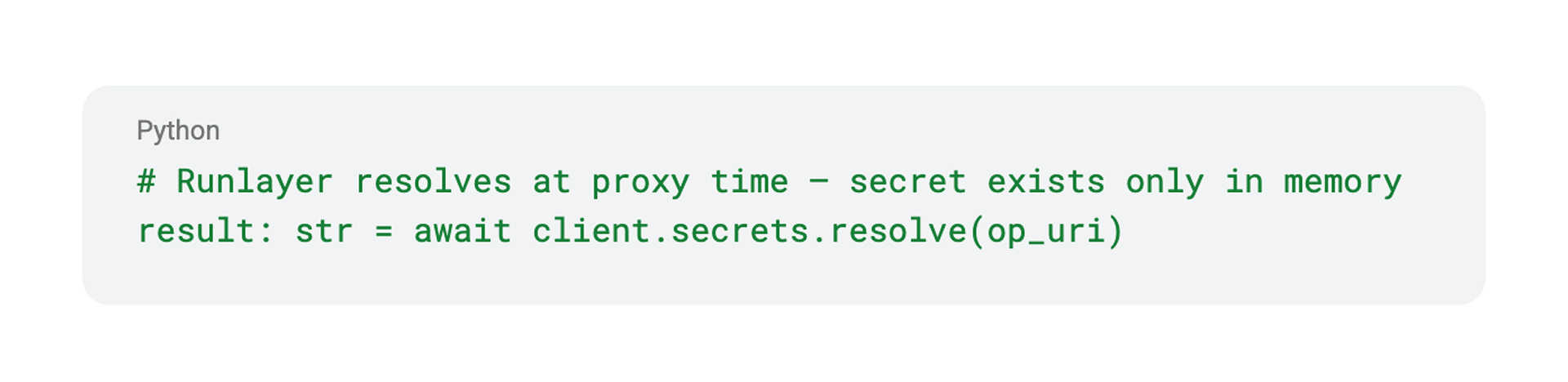
The resolution supports prefixed values too. A header configured as Bearer op://MCP/GitHub/token resolves to Bearer ghp_actual_token_value - the prefix is preserved, only the op:// portion is replaced.
Once the upstream request completes, the secret is no longer in memory. No caching to disk, no storage in the database, no residual exposure.
Credential changes are picked up automatically
If someone rotates the credential in 1Password, Runlayer picks up the new value on the next connection. It detects changes by comparing the SHA-256 hashes of resolved values against prior fetches.
When a rotation is detected, Runlayer emits a secret_provider.rotated audit event with both the old and new credential hashes, enough to confirm the rotation happened without revealing the credential itself. The audit log entry reads: "New credential fetched from 1Password - zero downtime."
No config changes. No redeployments. No coordination between teams. Rotate in 1Password, and every agent picks up the new credential on its next request.
Runlayer's approach to AI credential management for MCPs aligns with how enterprises want to handle secrets - in the vault, resolved at runtime, with a full audit trail. The op:// pattern means credentials never leave 1Password until the exact moment they're needed."
— Andy Berman, CEO of Runlayer
What's available today
op:// references in any MCP server credential field.
Live secret resolution at proxy time via the 1Password SDK.
Automatic rotation detection with zero downtime, hash comparison on every fetch.
Audit events for every secret fetch (secret_provider.fetched) and rotation (secret_provider.rotated).
UI badges showing which credentials are managed by 1Password.
Hash-based traceability, credential values are never logged, only their hashes.
What’s next for MCP security
This integration is the foundation for a deeper collaboration between 1Password and Runlayer. In the coming months, we plan to expand support for:
Coordinated rotation. Runlayer triggers rotation on a schedule or policy violation; 1Password updates the vault item automatically.
Full agent identity lifecycle. Creating an agent in Runlayer auto-creates a corresponding 1Password vault item; deleting archives it.
BYOV for OAuth tokens. Extend the op:// pattern beyond API keys to OAuth client secrets and refresh tokens managed through Runlayer's delegation flow.
Get started with 1Password and Runlayer
MCP server credentials belong in your vault. With this integration, getting them there takes one change: replace the raw value with an op:// reference.