How to protect against OAuth-based supply chain breaches and credential sprawl

by Sanjay Ramnath
April 23, 2026 - 8 min

Related Categories
For security teams, credential sprawl is like dust; you don't notice it until it has accumulated.
Over time, access spreads across SaaS apps, developer tools, automation workflows, and now AI agents. People sign up for tools to get work done and connect accounts using OAuth because it is fast and familiar. Credentials get reused across scripts, stored in environment variables, or passed between systems that were never meant to share a common control layer.
The problem only becomes visible when you zoom out and realize that all these individual decisions have created a network of external dependencies that now sit on top of your internal access model.
That is where credential sprawl turns into a supply chain risk. Add enough overpermissioned OAuth connections and suddenly, access to your internal systems is at the mercy of the security posture of every third-party service that has been granted access along the way.
What is the attack chain for an OAuth-based supply chain brief?
Recent incidents have shown how this access pattern can turn into a breach.
Here’s how it has played out:
An employee connects a third-party tool using Google Workspace OAuth.
The permissions are granted through a standard consent flow.
At some point later, that third-party service is compromised.
The attacker obtains the token and uses it to access internal systems.
There is no need for the attacker to bypass authentication, because the token is valid. There is also no need to escalate privileges, because the permissions are already in place.
What makes this type of attack so insidious is that, from the perspective of most security systems, the hacker’s activity does not appear anomalous. The requests are authenticated, the client is recognized, and there are no failed login attempts or obvious indicators of abuse. The attacker is operating within the boundaries that have already been approved.
The issue here is that trusted access has been extended into an environment that sits outside of direct control.
Preventing it requires knowing which connections exist, ensuring access is granted only at the moment it is needed, and maintaining a clear record of who or what used it and when.
Managing the risk of overpermissioned tools in Google Workspace
Every time someone clicks “Sign in with Google” or “Sign in with Microsoft” on a new app, they are creating a new trust relationship between their company and a third-party service. In many cases, that happens without any formal review from security or IT. The scopes granted during that flow are often broader than people realize, and once the token exists, it tends to persist quietly in the background.
Over time, these connections add up. Some are actively used, others are forgotten, and very few are tracked continuously.
The pace of shadow IT adoption has only increased with AI tools, where the fastest path to value usually involves connecting directly to existing accounts. 1Password's research found that more than half of employees download apps without IT approval. OAuth makes that easier than ever: connecting a new tool takes one click and leaves no footprint in your identity provider's app catalog. And when it comes to third-party AI integrations, access can rapidly go from "benign" to "breached".
How to check your exposure to OAuth-based supply chain attacks
Before getting into architecture or long-term fixes, let’s go over some advice you can use right now.
If you are using Google Workspace, you can see which third-party apps currently have OAuth access:
Go to Security → API controls → App access control
Review the list of connected applications
Look for apps with broad scopes or unclear purpose
It's a quick check, but it answers an important question: what has access right now.
While you are there, it is also worth tightening the default posture. Limiting unconfigured apps to basic profile information reduces the impact of new connections that happen without review.
Replacing point-in-time checks with automated OAuth discovery and secrets rotation
The kind of review we shared above is useful, but it does not solve the underlying issue, because the set of connected apps is constantly changing. New tools get added, old ones linger, and the same pattern repeats with different services over time. Looking at a single snapshot only tells you what exists at that moment.
But you can change that with a few shifts that bring visibility and control closer to where access already happens.
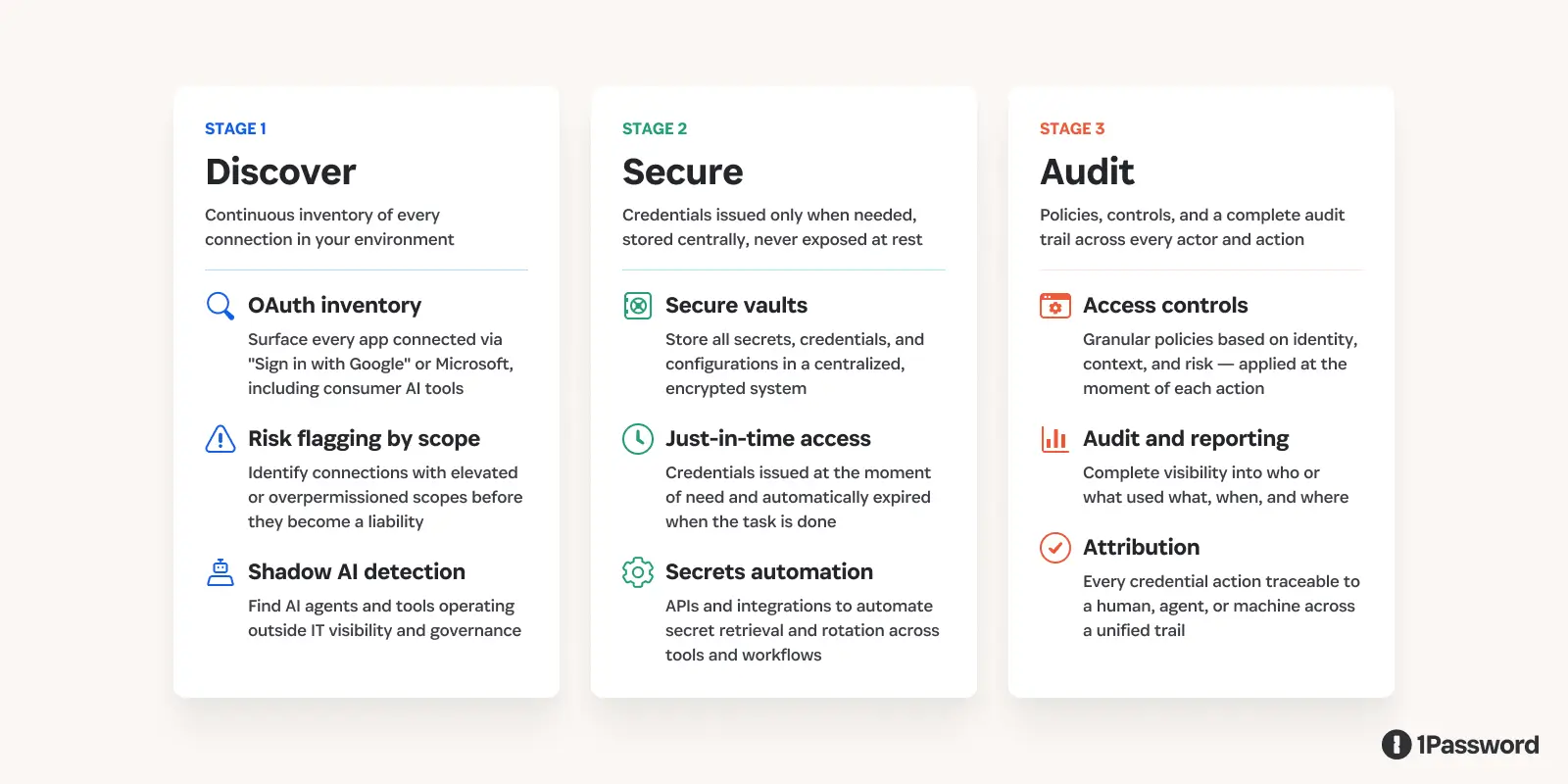
First, treat discovery as an ongoing process rather than a periodic audit. The inventory of connected applications changes every time an employee signs up for a new tool, grants additional permissions, or stops using something without revoking it. A review you ran last quarter does not tell you what connected yesterday. The goal is a continuous view, so that risk prioritization is based on what exists now, not what existed the last time someone looked.
Second, look at how long credentials live. Many tokens remain valid far longer than the task that required them. Shortening that window changes the economics of an attack. A token that expires quickly is far less useful if it is exposed. For OAuth connections specifically, Google Workspace admins can set token expiry policies directly in the Admin console. For agent and automation credentials, the answer is issuing them at the moment of use through a credential broker rather than distributing long-lived secrets in advance.
Third, keep environments separate. Credentials used in development workflows should not carry over into production systems. Even basic separation limits how far access can travel if something goes wrong.
Fourth, reduce how often credentials end up in uncontrolled places. In practice, they show up in scripts, environment variables, and application contexts more often than teams expect. Moving toward centralized storage and issuing access at the moment it is needed helps contain that spread.
Finally, pay attention to how access is used after it is granted. Most detection systems are designed to catch failed attempts or obvious anomalies. They are less effective when valid credentials are used in ways that do not match normal behavior. Building a baseline of expected activity for machine identities makes those deviations easier to spot.
How 1Password helps prevent supply chain attacks
1Password is designed to make your access surface visible and manageable.
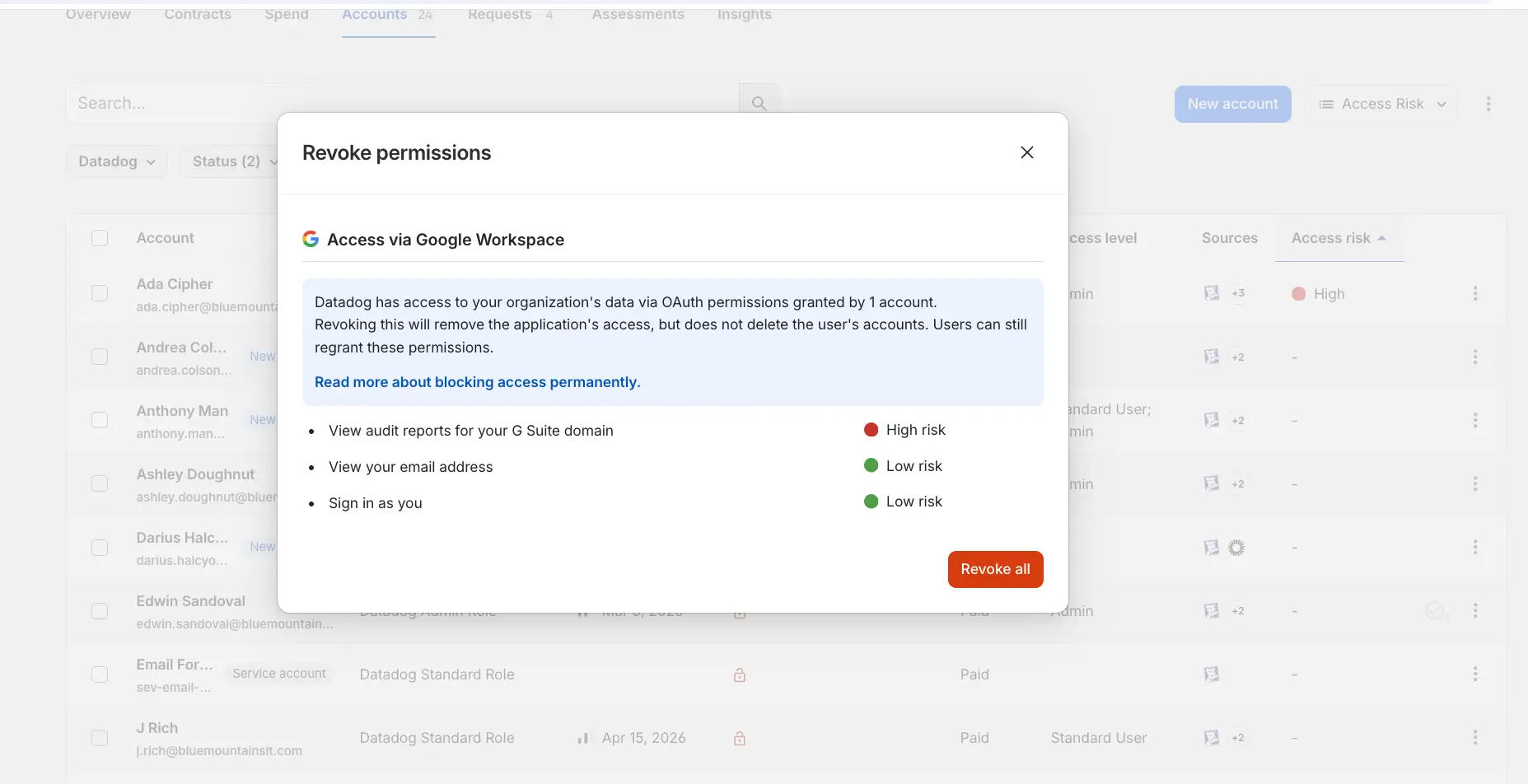
1Password SaaS Manager provides a continuous view of the applications connected to your environment, including those added through OAuth. When an employee connects a new tool using "Sign in with Google," SaaS Manager surfaces that connection automatically: the app name, the user who authorized it, the permission scopes granted, and a risk rating based on how broad those scopes are.
Security teams can review connections directly in the dashboard, revoke access with a single action, and set policies that restrict new connections to basic profile scopes by default. The inventory updates continuously, so the view reflects what exists now, not what was audited last quarter.
With 1Password Unified Access, credentials and secrets will be discovered and stored in a centralized system rather than spread across scripts and local environments. As credential brokering capabilities come to the platform, access will be issued at the moment it is needed, which reduces how much standing privilege exists at any given time. Every action tied to a credential can be traced back to who or what used it.
Going forward, teams will continue adopting new tools and OAuth will remain the default way to connect them. Credentials will continue to move across systems unless something is done to contain and govern that flow.
The work is not in preventing every connection or third-party tool, but understanding where those connections exist, how much access they carry, and how that access is being used over time.
FAQ: Protecting Your Supply Chain from Credential Sprawl
Q: What should I do if a third-party AI tool I use is compromised? A: Revoke the OAuth token in your Identity Provider (Google/Microsoft) immediately, rotate any credentials the tool had access to, and audit your internal logs for unauthorized requests using that tool’s Client ID.
Q: Why are environment variables a supply chain risk? A: Many platforms don't encrypt "standard" environment variables at rest. If an attacker hijacks a trusted integration's token, they can read these secrets in plain text, leading to a cascade of further breaches
Q: How do I find out which third-party apps have OAuth access to my Google Workspace?: Open your Google Admin console and go to Security → API controls → App access control → Manage Third-Party App Access. This lists every application that has been granted OAuth access by users in your organization, along with the permission scopes each app holds. Look specifically for apps with access to Gmail, Drive, or calendar data that were never formally reviewed by IT. You can revoke individual app access directly from this view. For ongoing monitoring rather than a one-time check, SaaS Manager automates this inventory continuously and flags connections with elevated or risky scope grants.