Go beyond device health with External Checks in 1Password Device Trust

by 1Password
April 2, 2026 - 3 min

Related Categories
Most organizations already have the policies they need in place. The problem is enforcement.
Employees must complete security awareness training, contractors must acknowledge updated agreements, and teams must meet compliance requirements. But the systems that track these requirements rarely connect to the systems that control user and device access. As a result, access is granted even when required conditions haven’t been met.
That’s why we're excited to announce that 1Password Device Trust can now take signals from other systems into account before allowing users to reach sensitive company apps and data.
External Checks in Device Trust
Until now, 1Password Device Trust focused primarily on device telemetry. That meant administrators could block employees from accessing company resources if their device failed to meet certain requirements, but they couldn’t enforce compliance based on signals that live outside of the device. With the ability to create custom External Checks, that changes.
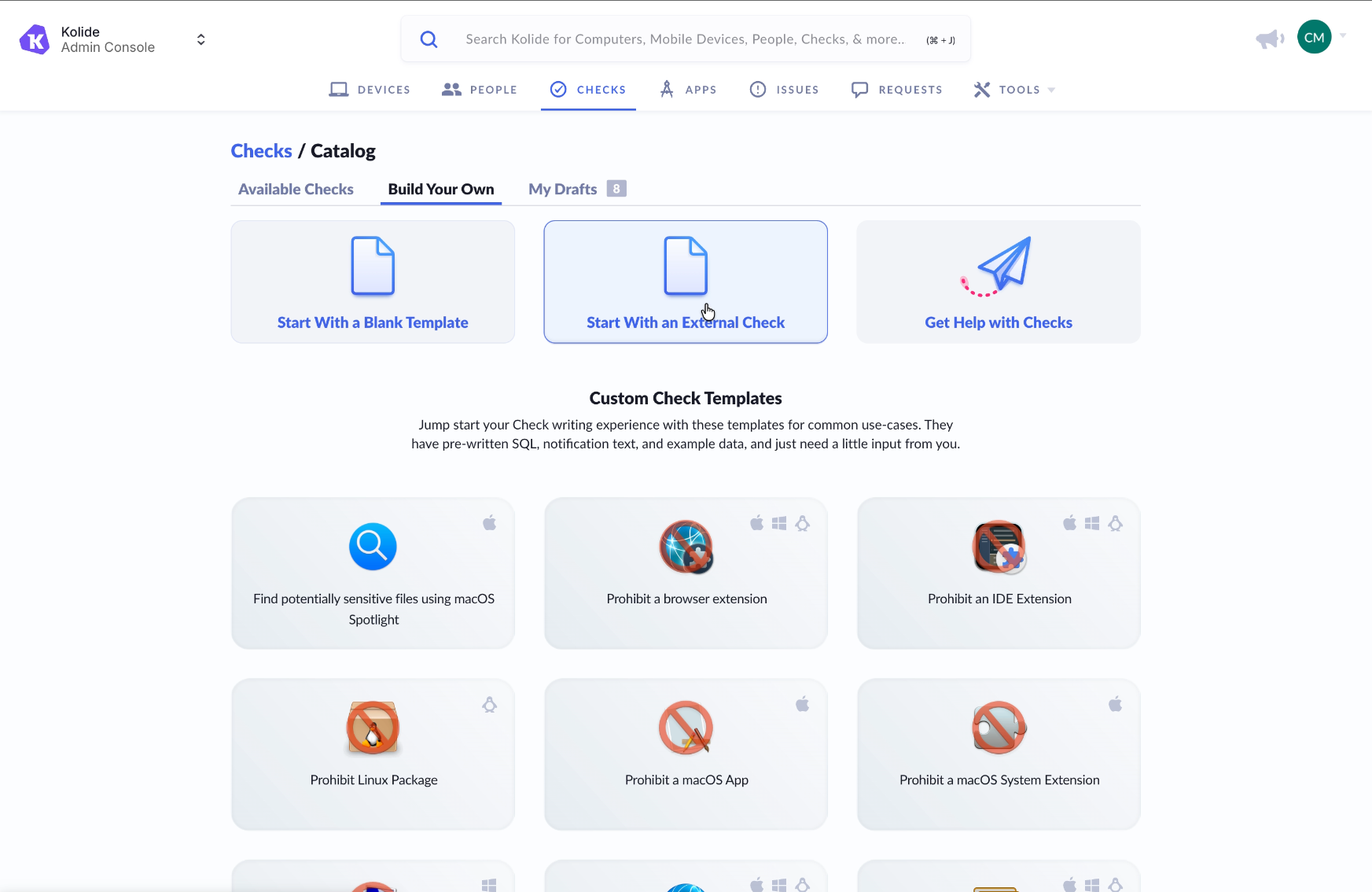
Access to protected apps can now depend on:
User compliance status
Policy acknowledgments
MFA enrollment status
Active employment status
Many other external verification signals
Access decisions are no longer limited to what’s happening on the device. They reflect whether the user of the device has met required conditions across systems.
How External Checks work
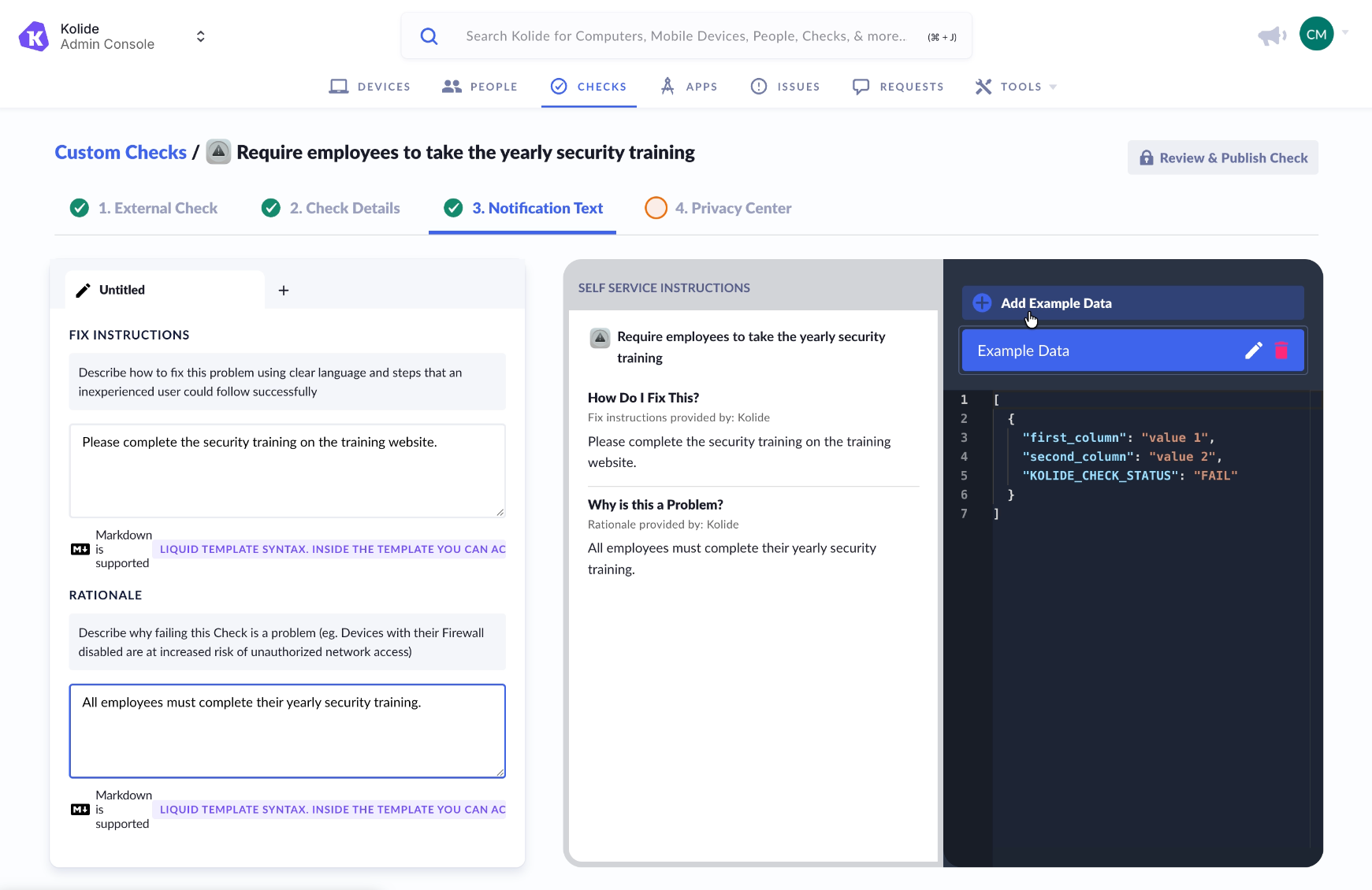
Administrators configure an External Check by connecting Device Trust to a third-party system via API. That external system becomes a source of truth for a specific requirement, such as whether a user has completed training or acknowledged a required policy.
When a user attempts to access a protected application:
Device Trust evaluates device posture as it does today.
Device Trust sends a request to the configured external system.
The external system returns a simple result: pass or fail.
Device Trust incorporates that result into the overall access decision.
If the check passes, access proceeds normally.
If the check fails, Device Trust can block access according to the policy defined by the administrator, while providing end users with custom remediation instructions so they know exactly how to resolve the issue.
This keeps enforcement centralized in Device Trust while allowing organizations to rely on their existing HR, training, or security systems as sources of truth.
Extending Zero Trust by closing the Access-Trust Gap
Zero Trust is about verifying that only the right user, on the right device, under the right conditions, can access the right application. External Checks help organizations move closer to that model by connecting the disparate systems that are already in place to make a more informed access decision.
By bringing identity and compliance signals into Device Trust, security teams can reduce gaps between compliance systems and real-world access. Ready to set up External Checks for your organization? Check out our documentation here to get started.